 Oh My Agents
 One Source.
Every Agent. In Sync.
Centralize your AI agent prompts and skills. Distribute them across projects and agents with a single click.
macOS only for now. Windows & Linux coming soon.
Managing AI Agents is a Mess
Anyone using multiple AI agents faces a growing configuration chaos.
Every Agent, Different Rules
Claude needs CLAUDE.md, Antigravity wants GEMINI.md, others expect AGENTS.md... And who knows what the next powerful agent will demand.
Copy-Paste Madness
Spent an hour perfecting your code review prompt? Now manually copy it to your other 20 projects—and pray you remember which version is the latest.
Migration Nightmare
Want to try a new agent in your project? Copying all your existing rules first. Starting a new repo? Configure skills from scratch, AGAIN.
Skills Buried & Forgotten
That perfect git commit skill you crafted 3 months ago? It's somewhere in ~/projects/old-app/.claude/skills/—good luck finding it.
Your Workflow, Simplified
Discover
Collect your assets
Scan your local projects and user directories to find existing prompts and skills. Import from GitHub or local skill folders
- Auto-detect active agents and working projects, then import prompts and skills
- Scan project directories for prompts and skills
- Import assets from GitHub repos or URLs
- Edit assets with built-in editor
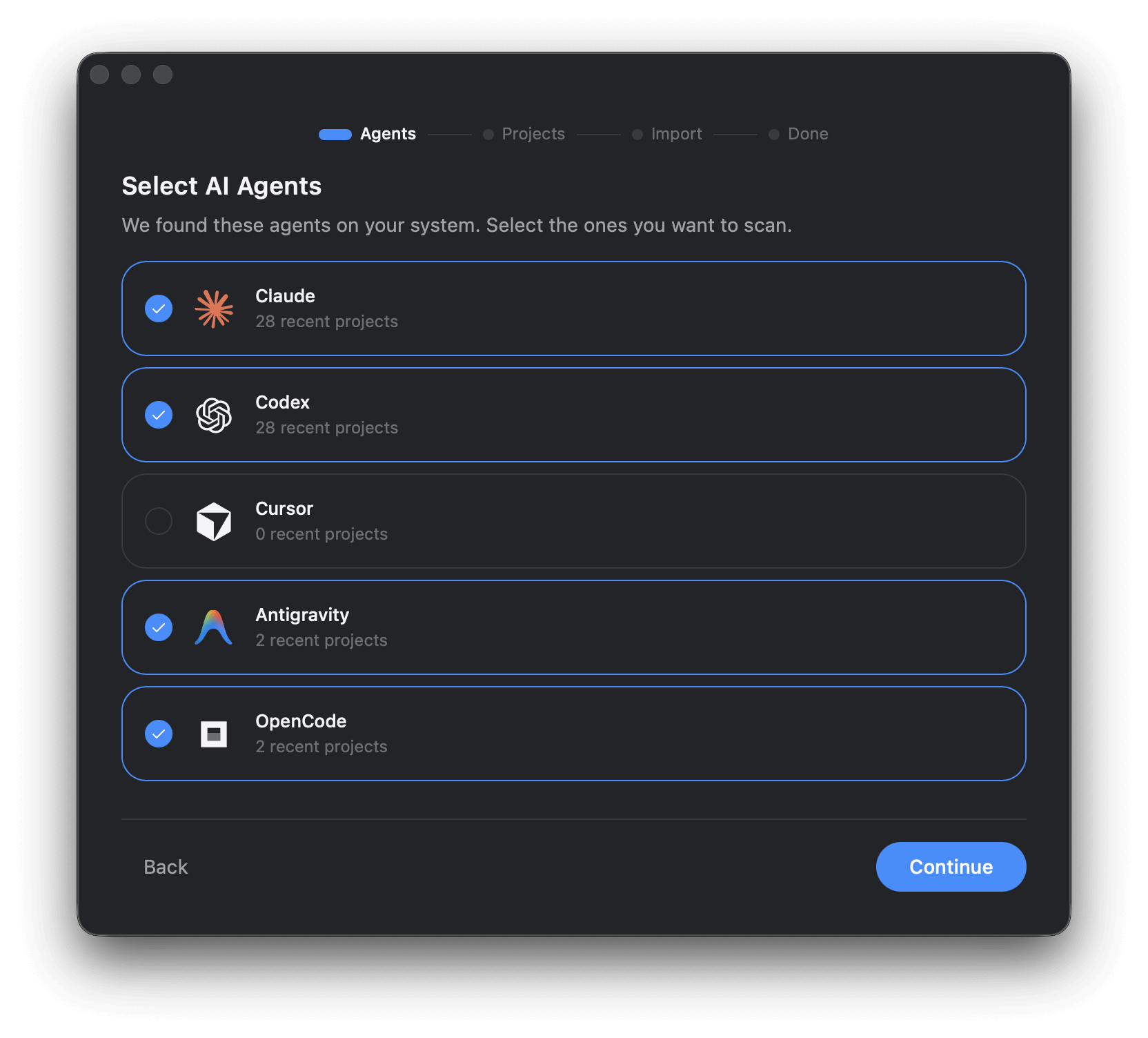
Choose your agents and uncover the prompts you've been building all along
Organize
Structure your workspace
Organize your assets in a central workspace. Define distribution rules to specify which assets go to which projects and agents.
- Central asset library with search and categorization
- Configure per-project, per-agent rules
- View asset details and linked projects
- Rename assets with custom aliases
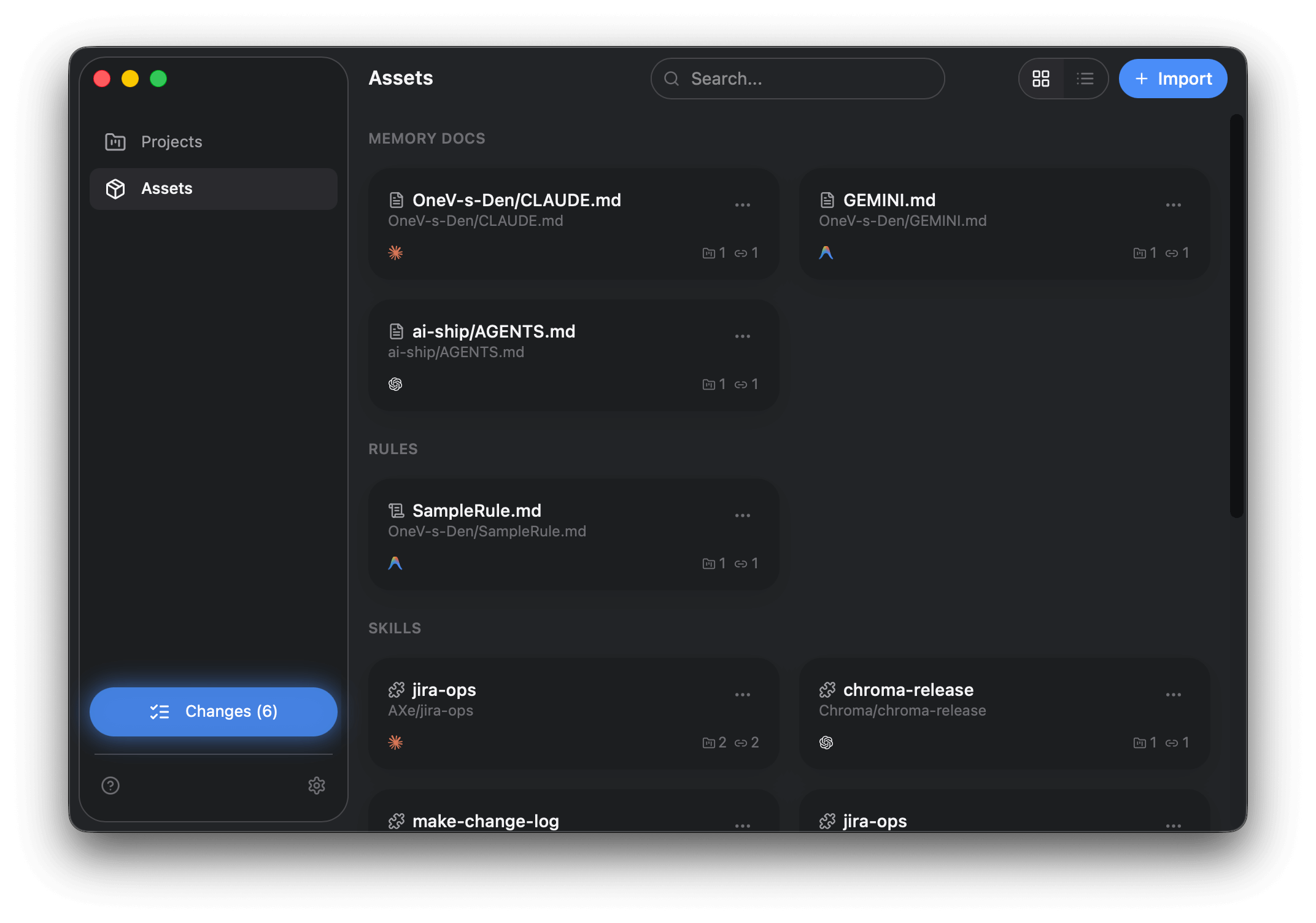
Your personal knowledge hub — every prompt, rule, and skill in one place
Deploy
Distribute with one-click
Preview changes before applying, then sync all your configurations to their target locations with a single click.
- Generate the sync plan instantly
- Preview the plan before execution
- Assets go to correct locations based on your rules
- Conflict detection without unexpected overwrites
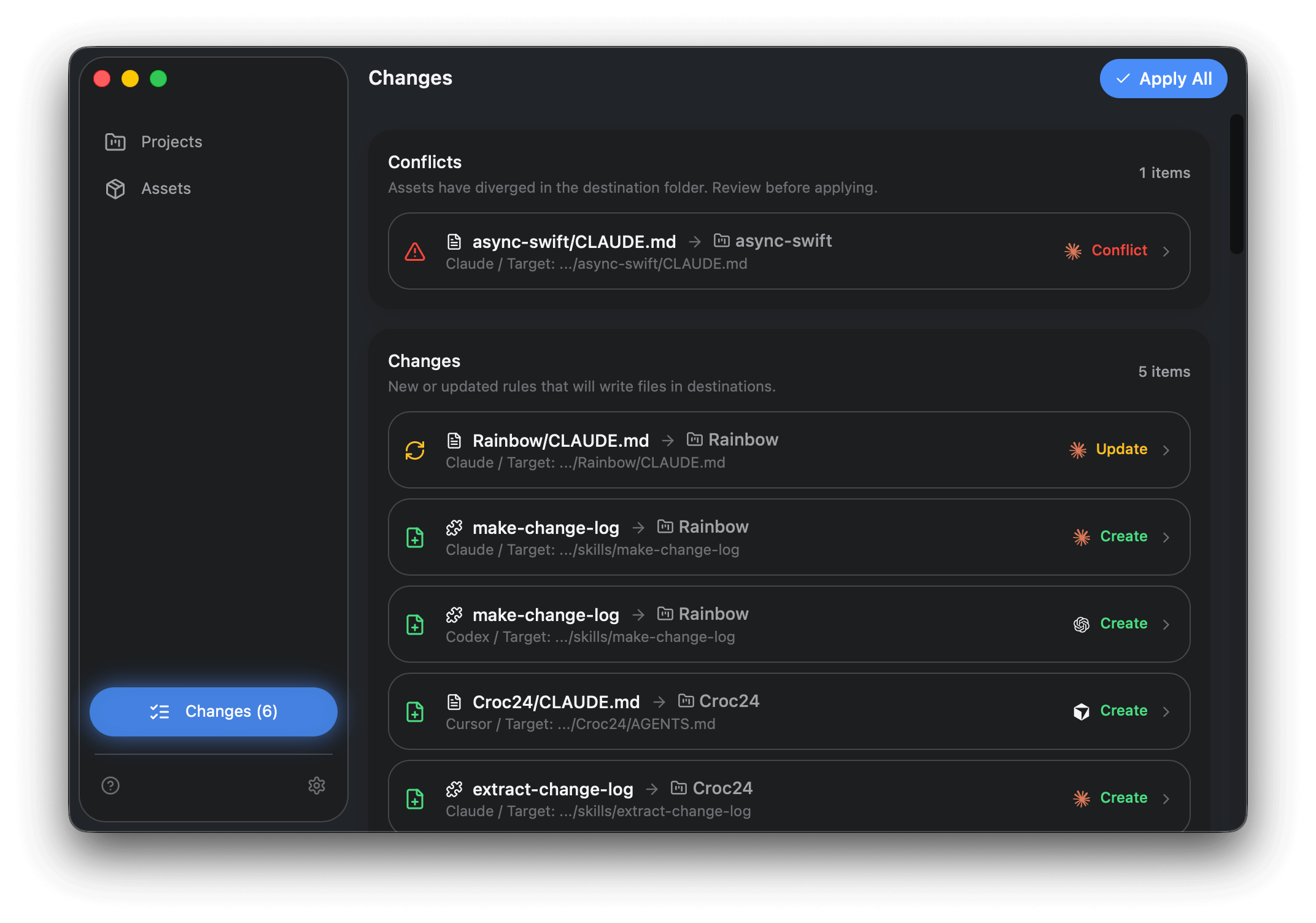
Preview every change before it happens — no surprises, no accidents
Evolve
Keep everything in sync
When you modify a deployed asset, pull the changes back to your central library. Keep your skills evolving across all projects.
- Detect local modifications in your projects
- Pull changes back to central library
- Update all other linked projects at once
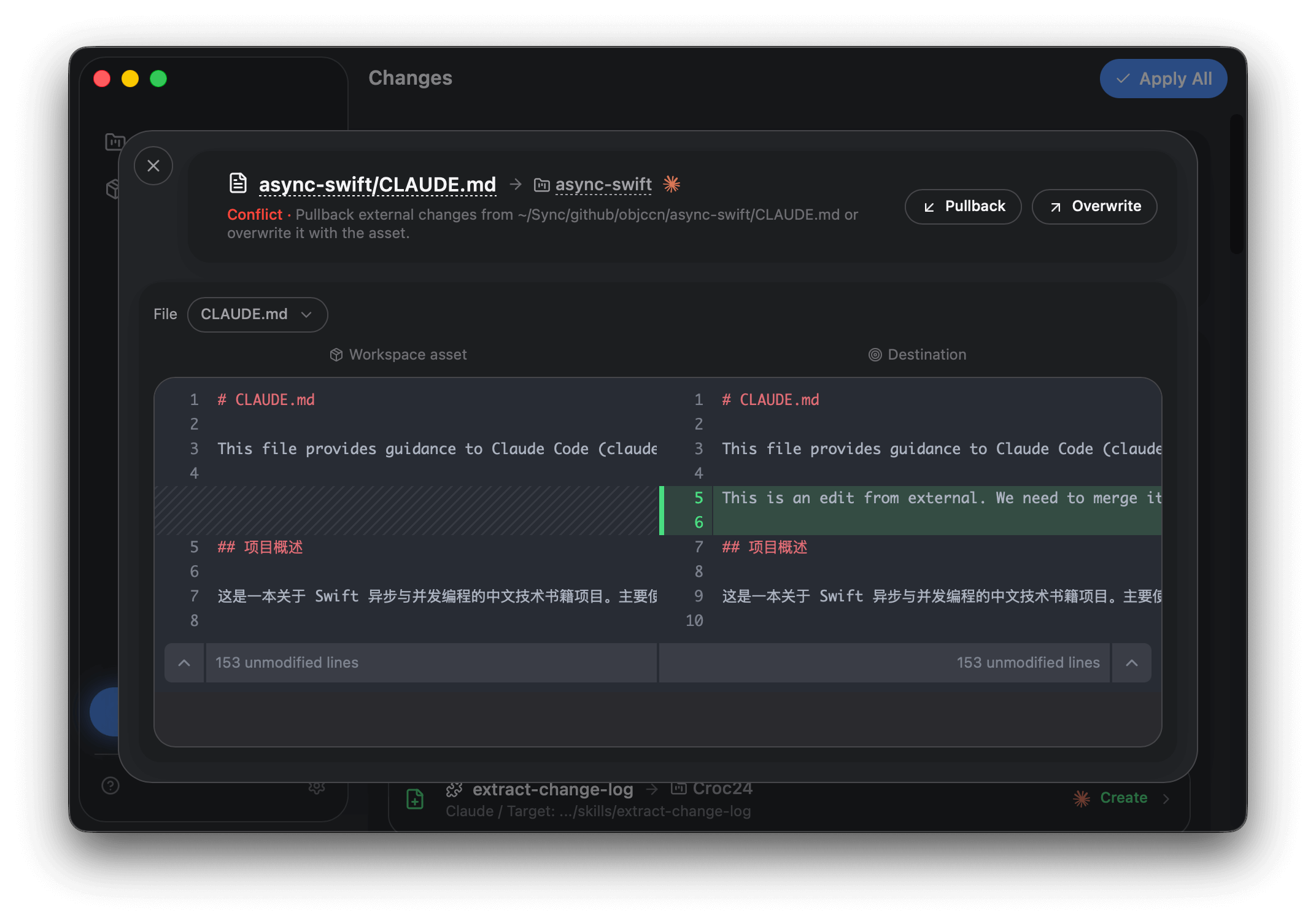
Made improvements in a project? Pull them back to your library and let it benefit all your work
Frequently Asked Questions
Everything you need to know about Oh My Agents.